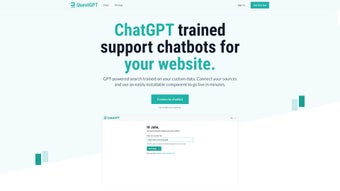

Download QuestGPT – AI Chatbot for Websites, Secure, Fast, Free Trial
Overview
QuestGPT is a subscription‑based, GPT‑powered AI chatbot platform created especially for website owners who want to deliver instant, accurate, and personalized support 24/7. Unlike generic chatbot services that rely on static scripts, QuestGPT learns directly from the data you provide—whether that’s a collection of web pages, PDF manuals, video transcripts, or proprietary knowledge bases. By ingesting these sources, the engine builds a contextual model that can answer questions, guide users through complex workflows, and retrieve information on demand while maintaining the tone and branding of your business.
The “Rapid Deployment” workflow lets you embed the chatbot with a single line of JavaScript or connect via a robust HTTP API, making integration as painless as adding a YouTube video. Future‑ready features such as analytics dashboards, usage trend tracking, and automated re‑training based on real‑time feedback ensure that the bot evolves alongside your product, keeping answers fresh and relevant. Whether you run an e‑commerce store, a SaaS platform, or an educational portal, QuestGPT offers a scalable, secure, and highly customizable solution that turns static content into an interactive, 24/7 support assistant.
Key Features and Benefits
- Data‑Driven Knowledge Base: Connect any web URL, PDF, DOCX, or video transcript and let QuestGPT automatically extract and index the information.
- Rapid Deployment Widget: One‑click embed code or ready‑made React component for instant rollout.
- HTTP API Access: Full‑featured REST endpoints for custom integrations, mobile apps, or legacy systems.
- Automated Knowledge Discovery: AI‑driven parsing of multimedia content (e.g., YouTube subtitles) to surface hidden answers.
- Analytics & Usage Insights: Real‑time dashboards that show question volume, success rates, and user sentiment.
- Feedback‑Loop Retraining: Collect user ratings and automatically fine‑tune the model for continuous improvement.
- Pre‑built Framework Components: Ready components for React, Vue, and Angular to speed up developer onboarding.
- Security & Compliance: End‑to‑end encryption, GDPR‑ready data handling, and role‑based access controls.
Why These Features Matter
Modern customers expect instant answers, and every second of waiting can translate into lost revenue. By leveraging QuestGPT’s data‑driven knowledge base, you eliminate the need for manual FAQ updates; the bot learns directly from the source material you already maintain. The rapid deployment widget means you can have a functional chatbot on your site within minutes, freeing up developer time for higher‑value tasks.
Meanwhile, the HTTP API opens doors for omnichannel experiences—think chat support inside your mobile app, Slack integration for internal help desks, or voice assistants that query the same knowledge repository. The analytics suite not only highlights popular queries but also uncovers gaps in your documentation, guiding content strategy and product improvements. Finally, the feedback‑loop retraining ensures the bot remains accurate as your product evolves, turning user interactions into a continuous learning cycle without requiring a data‑science team.
Installation, Setup, and Compatibility
Step‑by‑Step Installation Guide
Getting QuestGPT up and running is intentionally straightforward. After subscribing, you receive a unique API key and a small JavaScript snippet. Follow these steps:
- Create an Account: Sign up at questgpt.com and choose a plan that matches your expected query volume.
- Generate API Credentials: In the dashboard, navigate to “API Settings” and copy the public key and secret token.
- Configure Data Sources: Use the “Data Import” wizard to add URLs, upload PDFs, or point to cloud storage buckets. QuestGPT will start indexing immediately.
- Embed the Widget: Paste the provided
tag just before the closingtag on any page you want the chatbot to appear. - Customize Appearance: Through the dashboard, adjust colors, avatar, welcome message, and position (bottom‑right, bottom‑left, etc.).
- Test the Bot: Open your site in a private window and start a conversation. Use the “Debug Console” in the dashboard to view request logs and tweak intents.
Operating System and Platform Support
QuestGPT is a cloud‑native SaaS product, so it works on any operating system that can run a modern web browser—Windows 10/11, macOS Monterey and later, Linux distributions, as well as mobile platforms like Android 9+ and iOS 13+. For developers, the REST API follows the OpenAPI 3.0 specification and can be consumed from any language (Node.js, Python, Java, PHP, etc.). Pre‑built SDKs are available for JavaScript/TypeScript and Python, simplifying integration into server‑side applications, micro‑services, or serverless functions (AWS Lambda, Azure Functions, Google Cloud Run). The optional on‑premises gateway, offered in enterprise plans, allows you to route API traffic through your own firewall for stricter compliance requirements.
Best Practices for Secure Deployment
Security is baked into every layer of QuestGPT. Store your secret token in environment variables rather than hard‑coding it into source files. Enable CORS restrictions in the dashboard to limit which domains can call your API. If you handle personally identifiable information (PII), activate the “Data Masking” toggle, which automatically redacts sensitive fields before they are logged or sent to the model. Regularly review the “Access Log” to detect unusual activity, and schedule monthly re‑training cycles to purge outdated data and keep the model aligned with current privacy policies.
Pros, Cons, Detailed Review & Frequently Asked Questions
Pros
- Fast, plug‑and‑play deployment reduces time‑to‑value.
- Supports a wide variety of source formats (web, PDF, video, DOCX).
- Rich analytics and feedback loop enable continuous improvement.
- Highly customizable UI and branding options.
- Secure, GDPR‑compliant architecture with optional on‑prem gateway.
- Developer‑friendly API with SDKs for major languages.
Cons
- Subscription pricing may be high for very small businesses.
- Initial data indexing can take several minutes for large document sets.
- Advanced analytics are only available on higher‑tier plans.
- Learning curve for non‑technical users when configuring complex data sources.
Frequently Asked Questions (FAQ)
Can QuestGPT handle multilingual content?
Yes. QuestGPT leverages multilingual GPT models and can be trained on documents in any language. The interface automatically detects the visitor’s language and responds accordingly, provided the source material includes translations.
How does the pricing model work?
Pricing is subscription‑based, with tiers based on monthly query volume and feature access. There’s a starter plan for up to 5,000 queries per month, a growth plan for up to 50,000, and an enterprise tier with unlimited queries and dedicated support.
Is there a free trial available?
A 14‑day free trial is offered with access to all core features and up to 2,000 queries per month, allowing you to evaluate the platform before committing.
Can I integrate QuestGPT with my existing CRM?
Absolutely. Using the HTTP API you can push conversation transcripts, user IDs, and satisfaction scores into any CRM (Salesforce, HubSpot, Zoho, etc.) for a unified view of customer interactions.
What level of support does QuestGPT provide?
All paid plans include email support with a 24‑hour response SLA. The Growth and Enterprise plans add live chat, priority handling, and a dedicated account manager.
Conclusion & Call to Action
QuestGPT stands out as a powerful, flexible AI chatbot platform that transforms static documentation into an interactive support experience. Its blend of rapid deployment, deep data integration, and ongoing analytics makes it a smart investment for businesses that want to reduce support costs while boosting user satisfaction. If you’re ready to modernize your website’s help desk, sign up for a free trial today and see how quickly a custom, GPT‑driven assistant can start answering your customers’ questions.



.png)



